How to Download an Amazon FBA Report on Seller Central

Steven Pope - Founder, My Amazon Guy

Share this article:

How to Download an Amazon FBA Report on Seller Central


  1. Log into Seller Central
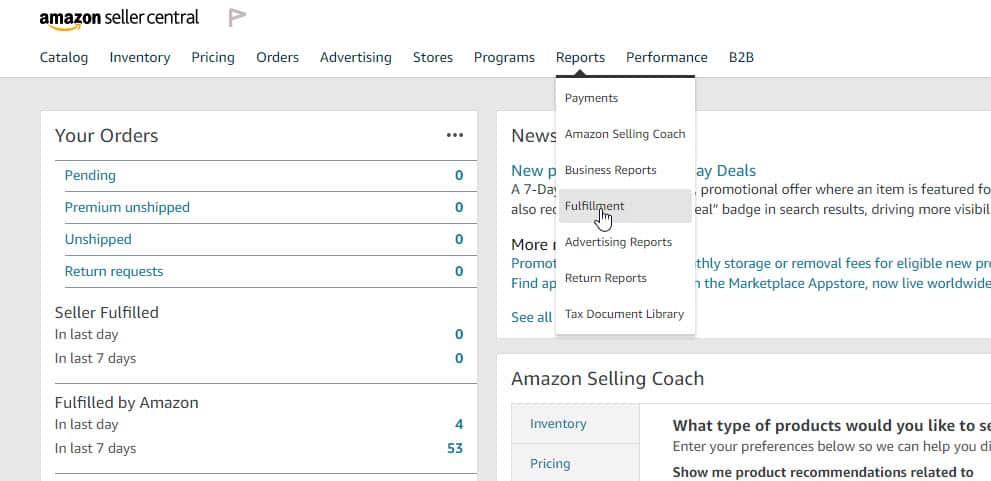
  2. Hover over the ‘Reports’ tab and click on ‘Fulfillment’1 1


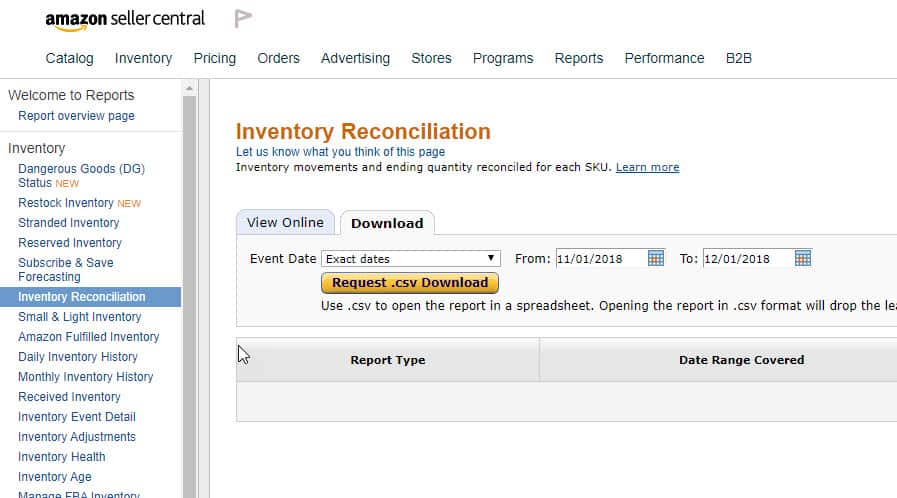
  1. Look for ‘Inventory Reconciliation’
  2. Click on the download tab, select the date that you want, then click download2 1


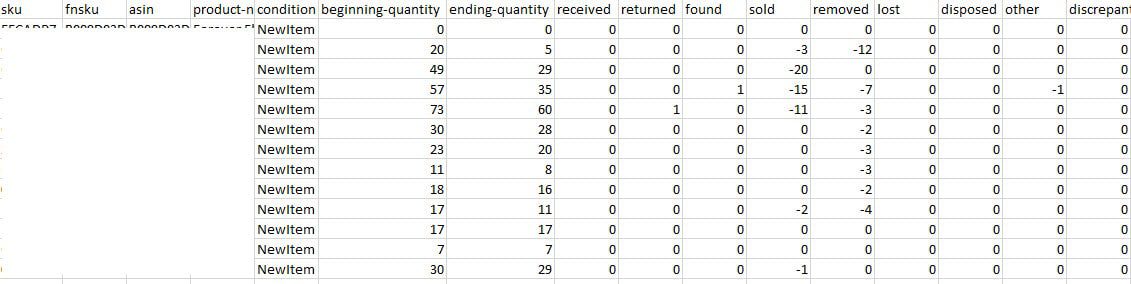
  1. Once that file is open, you will see information for each ASIN, from the start to end quantity of the select dates, how many sold, removed, return, etc.3 2

Filed under: 

Tags: 

Share this article:

Amazon Expert

Hi I’m Steven, founder of My Amazon Guy, a 500+ person Amazon Seller Central agency out of Atlanta, GA. We growth hack ecommerce and marketplaces through PPC, SEO, design, and catalog management.

Steven Pope, Amazon Expert

Hi I’m Steven, founder of My Amazon Guy, a 500+ person Amazon Seller Central agency out of Atlanta, GA. We growth hack ecommerce and marketplaces through PPC, SEO, design, and catalog management.

Amazon Search Results

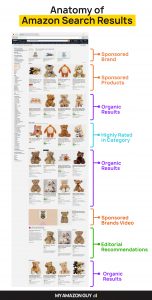
Anatomy of Amazon Search Results

This is the anatomy of Amazon search results. Notice that there’s a LOT of ads in search results. Check out the full post on LinkedIn. MAG

0
    0
    Your Cart
    Your cart is emptyReturn to Shop

    Reach us at +1 470-623-1951 Monday to Friday, from 8:00am to 5:00pm EST.